
CLI Usage
How to build and use the scout cli tool
Building the CLI
The CLI is built from source. Ensure you have Rust installed, then build the release binary:
cd scout_rs
cargo build --bin scout_cli --release
The binary will be available at target/release/scout_cli.
Environment Setup
Create a .env file in the scout_rs directory using the .env.example file as a template.
Running Commands
Download Artifacts
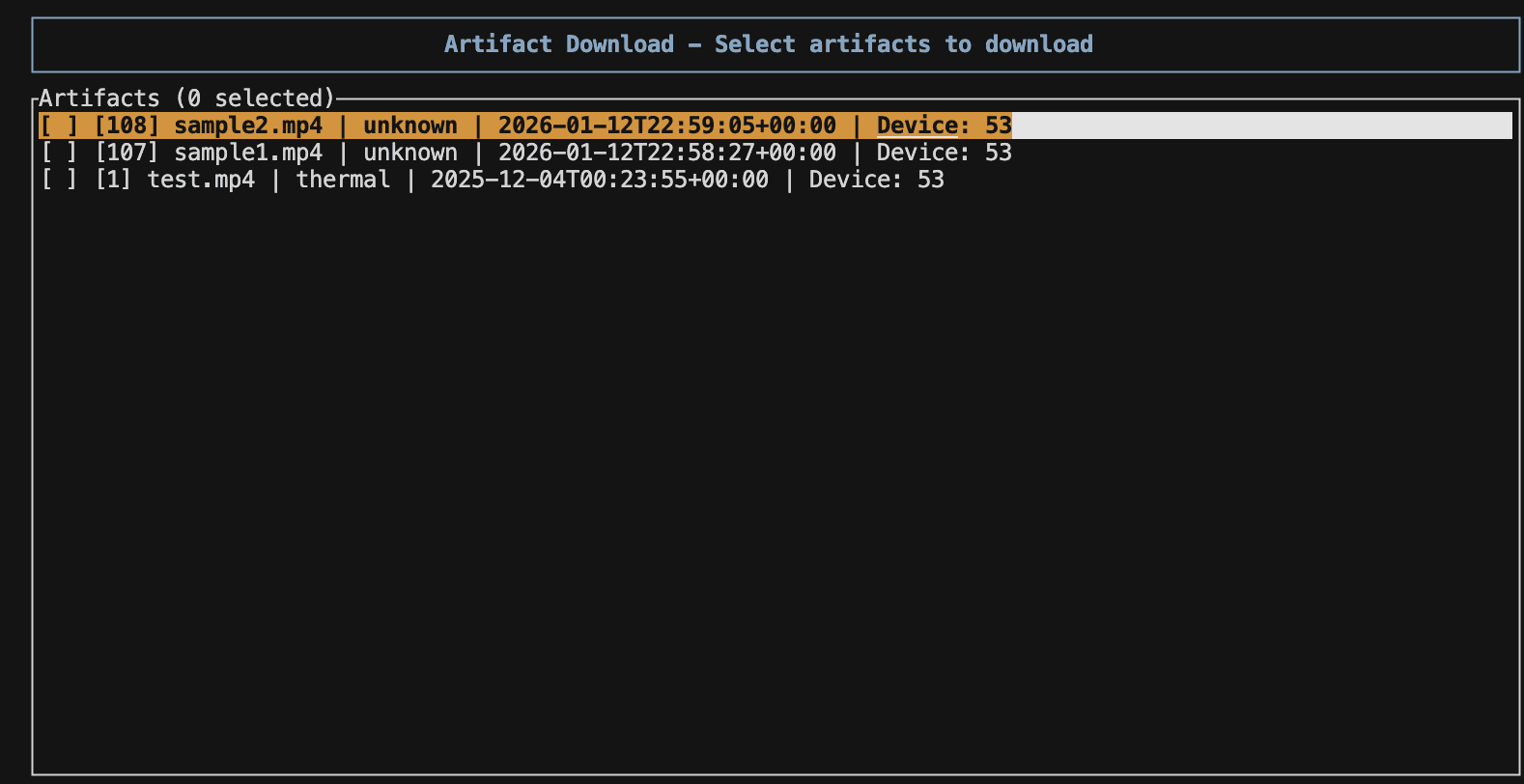
The download_artifacts command provides an interactive download portal shown below:
Features
- Download Status: Each artifact shows whether it's already downloaded
- Filtering: Press 'f' to cycle through filter modes:
- First press: Hide already downloaded files
- Second press: Show only already downloaded files
- Third press: Show all files
- Navigation: Use arrow keys (↑↓) to navigate through remote artifacts
- Selection: Press Space to select items
- Select All: Press 'a' to select all visible items
- Download: Press Enter to download selected artifacts
- Quit: Press 'q' or Esc to exit without downloading
Selected artifacts are downloaded to the specified output directory (defaults to current directory).
Available Commands
| Command | Description | Required Arguments |
|---|---|---|
get_device | Get device information | None |
get_herd | Get herd information | None |
get_plans_by_herd | Get plans for a herd | --herd_id |
get_plan_by_id | Get a specific plan | --plan_id, --herd_id |
create_plan | Create a new plan | --plan_json, --herd_id |
update_plan | Update a plan | --plan_id, --plan_json, --herd_id |
delete_plan | Delete a plan | --plan_id, --herd_id |
post_event | Create an event | --event_json, --tags_json, --file_path |
update_event | Update an event | --event_id, --event_json |
delete_event | Delete an event | --event_id |
download_artifacts | Download artifacts with interactive UI | (optional) --output-dir |
Examples
# Get device information
./target/release/scout_cli --command get_device

# Download artifacts to current directory
./target/release/scout_cli --command download_artifacts

# Download artifacts to specific directory
./target/release/scout_cli --command download_artifacts --output-dir ~/Downloads/scout-artifacts

# Get plans for a herd
./target/release/scout_cli --command get_plans_by_herd --herd_id 10